

Type in your card balances, get a debt payoff planner. No account needed
The button opens a guest chat with this planner prompt ready to send.
What you get
A working debt payoff planner app opens in the preview pane beside the chat.
It has a slider for the extra monthly payment, and it shows the month each card is paid off.
The prompt and the result
This is the prompt the guest chat sends, and the screen under it is the planner it built.
you type
Build me a debt payoff planner app. I have 3 credit cards: $6,200 at 24% APR, $3,100 at 19% APR and $1,400 at 0% APR, and I can put $400 a month toward them. Add a slider for the extra monthly payment and show the month each card is paid off.you get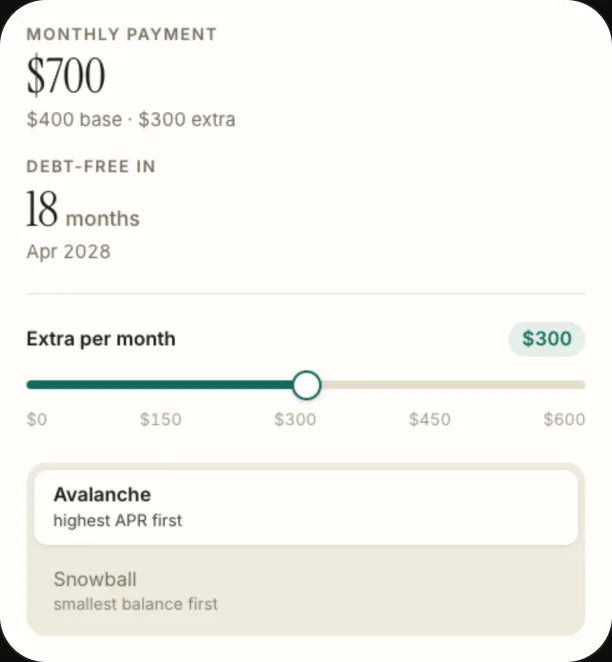
What this isn't
It is not connected to your bank: you type the card balances yourself, and the planner lives in the chat it was built in with no account sync.
Related
The prompt and the screen come from the guest chat this page opens. Read on 2026-10-20.